Indexing & Search
How content is stored, indexed, and searched across the wiki-base.
How Content is Stored
When a node is created with content (a podcast transcript, an article, etc.), the raw text needs to be turned into something searchable. This happens in two steps: node embedding first, then chunking + chunk embedding.
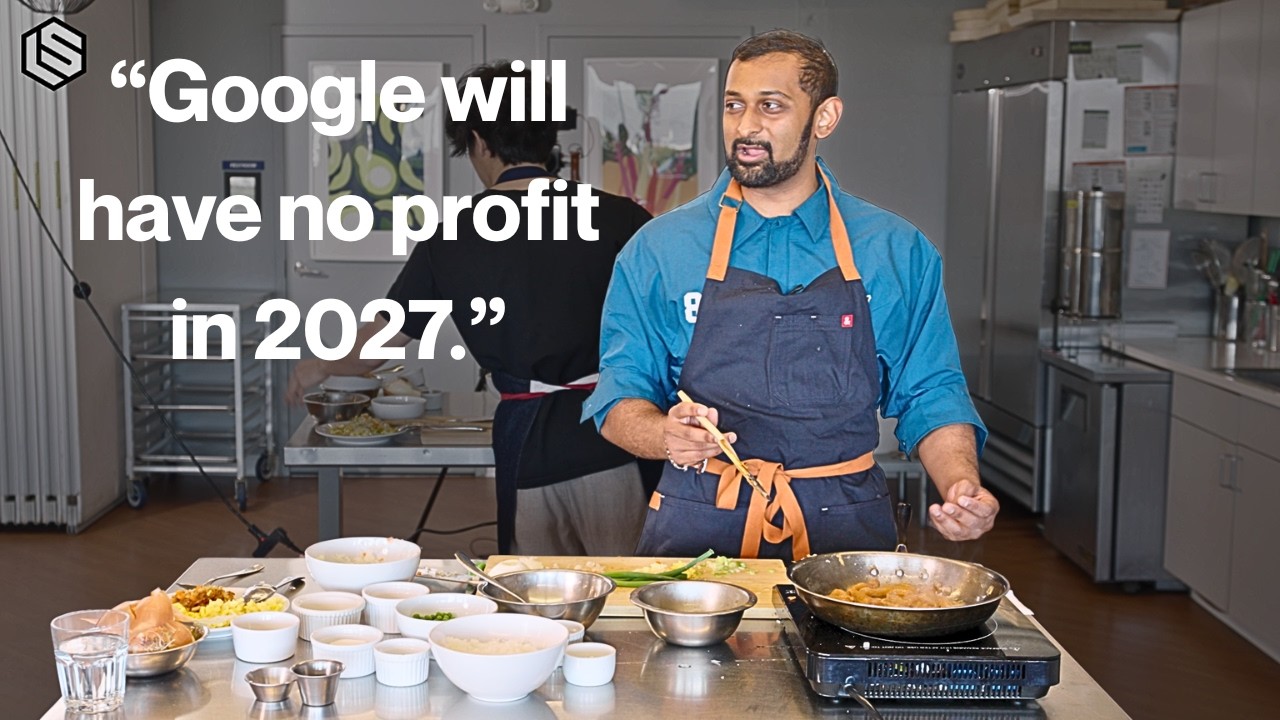
We'll use one real example throughout: node 4224, the podcast episode "Dylan Patel Explains the AI War While Cooking" (created 2026-03-01, 75,325 characters of transcript).
Step 1: Node Embedding
The node's title + description is concatenated and turned into a vector (a list of 1536 numbers that capture the meaning of the text). This vector is stored directly on the node row.
For node 4224, the text that gets embedded (from embed-nodes.ts):
const text = `${node.title}\n${node.description || ''}`.trim();
// stored in embedding_text column, capped at 2000 chars
The database stores the exact text that was embedded:
SELECT embedding_text FROM nodes WHERE id = 4224;

-- "Dylan Patel Explains the AI War While Cooking | In-Context Cooking
--  Latent Space podcast episode featuring Dylan Patel, founder and CEO of
--  SemiAnalysis, the leading AI infrastructure and semiconductor research
--  firm. This is the first episode of In-Context Cooking, a new Latent Space
--  show format where guests cook a dish while discussing technical topics.
--  Dylan and host swyx recreate restaurant-style chicken fried rice while
--  covering Taiwan/TSMC endgame scenarios, US-China export controls, NVIDIA's
--  competitive moat, hyperscaler AI capex ($200B/year)..."
That string becomes one 1536-dimensional vector (6,144 bytes as F32_BLOB) stored on the node row:
SELECT id, title, length(embedding) as embedding_bytes
FROM nodes WHERE id = 4224;

-- id: 4224
-- title: Dylan Patel Explains the AI War While Cooking | In-Context Cooking
-- embedding_bytes: 6144
This is why descriptions matter. The node embedding is built from title + description. A vague description like "discusses semiconductors and AI" produces a weak vector. An explicit description naming Dylan Patel, SemiAnalysis, Taiwan/TSMC, NVIDIA, and hyperscaler capex produces a strong vector that matches specific queries. If the description is good enough, search finds the right node here and never needs to look at chunks.
Model: OpenAI text-embedding-3-small (1536 dimensions).
Step 2: Chunking + Chunk Embedding
After the node is embedded, the raw source text is split into smaller pieces and each piece gets its own vector. This powers passage-level search: finding specific quotes and details within a long transcript.
For node 4224, 75,325 characters of transcript becomes 53 chunks:
SELECT COUNT(*) as total_chunks,
       MIN(length(text)) as smallest,
       MAX(length(text)) as largest,
       AVG(length(text)) as average
FROM chunks WHERE node_id = 4224;

-- total_chunks: 53
-- smallest: 400
-- largest: 2000
-- average: 1813
The first chunk (chunk_idx 0) is the opening of the transcript:
[0.1s] I'm not crying because of the because of
[2.1s] the AI researchers leaving. I'm crying
[3.8s] cuz onion. I promise. I swear to God if
[5.9s] Uncle Roger finds this video, I'm going
[7.4s] to cry...
Each chunk gets its own 1536-dimensional vector (6,144 bytes), stored in the chunks table and linked back to the parent node by node_id.
Chunking rules:
- Target size: ~2,000 characters
- Overlap: 400 characters between chunks (so context isn't lost at boundaries)
- Splitting priority: paragraph breaks (
\n\n) first, then sentence ends (.), then hard cuts, only after at least 50% of the chunk is filled
Chunk embedding:
- One vector per chunk, batched 20 at a time via OpenAI API
- Same model as node embedding:
text-embedding-3-small(1536 dimensions)
How Content is Indexed
Three separate indexing systems exist in the database. They are completely independent of each other.
1. Vector Index
Turso builds a libsql_vector_idx index over the embedding columns using cosine distance. This is what makes vector search fast. Without this index, every vector search would compare the query vector against every stored vector (a full scan). With the index, Turso uses approximate nearest neighbor lookup to jump to the closest matches.
The vector index covers both levels:
- Node embeddings on the
nodestable (title + description vectors) - Chunk embeddings on the
chunkstable (passage vectors)
For node 4224, a vector search for "semiconductor supply chain risks" would find this node because its node embedding (built from the description mentioning SemiAnalysis, Taiwan/TSMC, NVIDIA) is semantically close to that query, even though the exact phrase "semiconductor supply chain risks" doesn't appear anywhere.
2. FTS5 (Full-Text Search Index)
FTS5 is SQLite's built-in keyword index. It is completely separate from vectors. It has nothing to do with numbers or semantic meaning. It indexes every word in every chunk so you can do fast exact keyword lookups.
FTS5 lives in a virtual table called chunks_fts. When a chunk is inserted into the chunks table, a SQL trigger automatically copies its text into chunks_fts. The FTS5 engine then builds a word-level index over that text.
-- Triggers keep chunks_fts in sync automatically:
AFTER INSERT on chunks  ->  adds text to chunks_fts
AFTER UPDATE on chunks  ->  removes old text, adds new text
AFTER DELETE on chunks  ->  removes text from chunks_fts
Currently 36,496 chunks are indexed in chunks_fts.
How FTS5 differs from vectors
Vectors understand meaning. FTS5 matches exact words. If you search for "capex spending", FTS5 finds chunks that literally contain those words. A vector search for "capex spending" would also find chunks about "infrastructure investment" or "capital expenditure" even if those exact words aren't there.
Example: FTS5 search on node 4224
Searching for "capex spending" across the Dylan Patel episode's chunks:
SELECT c.chunk_idx, fts.rank
FROM chunks_fts fts
JOIN chunks c ON c.id = fts.rowid
WHERE fts.chunks_fts MATCH 'capex spending'
AND c.node_id = 4224
ORDER BY fts.rank;

-- chunk_idx: 23, rank: -16.16  (most relevant, lower = better)
-- chunk_idx: 31, rank: -9.89
-- chunk_idx: 27, rank: -9.69
Chunk 23 scores highest because both "capex" and "spending" appear frequently in that passage. It's the section where Dylan discusses hyperscaler earnings and AI infrastructure spending:
...last month or over the last two weeks,
we've had u, you know, the hyperscalers report earnings...
FTS5 ranks results using BM25 (term frequency x inverse document frequency). A word that appears often in one chunk but rarely across all chunks gets a higher score.
What FTS5 stores internally
FTS5 maintains its own internal tables. You never query these directly:
-- FTS5 internal tables (from sqlite_master):
chunks_fts_data      -- 7,707 rows (compressed token data)
chunks_fts_idx       -- token position index
chunks_fts_content   -- empty (contentless, uses triggers)
chunks_fts_docsize   -- 36,496 rows (one per chunk, stores document length)
chunks_fts_config    -- FTS5 configuration
3. B-Tree Indexes
B-tree indexes are standard database indexes on specific columns. They have nothing to do with vectors or FTS5. They make column lookups fast by letting the database jump to matching rows instead of scanning every row.
Without an index, filtering nodes by node_type = 'podcast' would scan every row. With a B-tree index on node_type, the database jumps straight to the matching rows.
Actual B-tree indexes in the database
-- From sqlite_master WHERE type = 'index':

-- On the nodes table:
idx_nodes_node_type    -- filter by category (podcast, article, ainews, etc.)
idx_nodes_event_date   -- sort by date
idx_nodes_updated_at   -- find recently changed nodes

-- On the edges table:
idx_edges_from_node_id -- find all edges leaving a node
idx_edges_to_node_id   -- find all edges arriving at a node

-- On the chunks table:
idx_chunks_node_id     -- find all chunks belonging to a node

-- On the chats table:
idx_chats_thread_id    -- group chat messages by thread
Example: B-tree index on node 4224
When you load node 4224's chunks, the idx_chunks_node_id index makes this fast:
SELECT COUNT(*) FROM chunks WHERE node_id = 4224;
-- Returns 53 instantly (index lookup, no table scan)
When you load node 4224's edges, idx_edges_from_node_id kicks in:
SELECT * FROM edges WHERE from_node_id = 4224;
-- Returns edges instantly (features, covers_topic, etc.)
Without these indexes, every query would scan the full table. With ~4,100 nodes, ~36,500 chunks, and ~19,000 edges, that matters.
How Search Works
Different surfaces use different combinations of storage and indexes.
Search Methods
| Surface | Method | What it searches |
|---|---|---|
Web app (Cmd+K) | SQL LIKE | nodes table only (title, description, notes) |
MCP (ls_search_nodes) | Hybrid (vector + keyword + RRF) | nodes table embeddings + text |
MCP (ls_search_content) | Two-phase hybrid | Phase 1: node embeddings. Phase 2: chunk embeddings + FTS5 |
MCP (ls_sqlite_query) | Direct SQL | Whatever the agent writes |
| Discord bot (Slop) | Vector + LIKE + FTS5 | All three index types via 3 search tools |
Web App Search (Cmd+K)
The simplest method. No vectors, no FTS5, no chunks. Just substring matching on the nodes table.
When you type "semi-cond" in the search bar, it runs:
WHERE n.title LIKE '%semi-cond%' COLLATE NOCASE
   OR n.description LIKE '%semi-cond%' COLLATE NOCASE
   OR n.notes LIKE '%semi-cond%' COLLATE NOCASE
Results are ranked by match quality: exact title match > title prefix > title substring > description match > notes match.
This works because there are only ~4,100 nodes. A LIKE scan over 4,100 rows is fast enough for instant results as you type. It also means good descriptions directly improve web search results, since description is one of the three fields being matched.
For node 4224, typing "Dylan Patel" or "SemiAnalysis" or "TSMC" would all match because those words appear in the title or description.
Hybrid Search (MCP)
The MCP search tools combine vector and FTS5 results using Reciprocal Rank Fusion (RRF). This gets the best of both: semantic understanding from vectors, exact keyword matching from FTS5.
- Run vector search and FTS5 search in parallel, each fetching 2x the requested count
- Score each result by rank:
score = 1 / (60 + rank) - Sum scores for results appearing in both lists (these get boosted)
- Sort by combined score, normalize to 0-1, return top K
Default settings: matchCount = 5, similarityThreshold = 0.3.
Two-Phase Search (ls_search_content)
The deepest search method. First finds relevant nodes, then digs into their chunks.
Phase 1: find relevant nodes
- Vector search on node embeddings (title + description vectors)
- Falls back to keyword search (LIKE on title/description/notes) if vector fails
Phase 2: find relevant passages
- Hybrid search (vector + FTS5 + RRF) within chunks of the nodes found in Phase 1
- If Phase 1 found nothing, searches all chunks directly
- Falls back to text search (LIKE with AND) as a last resort
For example, searching "NVIDIA competitive moat" would:
- Phase 1: find node 4224 via its node embedding (the description mentions "NVIDIA's competitive moat")
- Phase 2: search node 4224's 53 chunks to find the exact passage where Dylan discusses NVIDIA
Discord Bot Search (Slop)
Slop is the Discord bot for Latent Space. It queries the same Turso database directly (not through MCP) using 3 search tools that each hit a different index type. For full details on Slop's architecture, see the Slop Bot page.
Three search tools
| Tool | Index used | What it does |
|---|---|---|
slop_semantic_search | Vector index | Embeds the query via OpenAI, runs vector_top_k() on both node and chunk embeddings, fuses results with RRF. Default for most questions. |
slop_search_nodes | None (table scan) | SQL LIKE on node titles, descriptions, and notes. For known names and exact terms. |
slop_search_content | FTS5 | Keyword match through chunks_fts. For exact words and phrases in transcripts. |
How Slop picks a search tool
The system prompt gives the LLM a decision tree for which tool to use:
- Conceptual questions ("what has LS covered about chip supply chains") →
slop_semantic_search - Known names/terms ("Dylan Patel", "SemiAnalysis") →
slop_search_nodes - Exact quotes or phrases ("capex spending") →
slop_search_content - Temporal queries ("latest", "newest", "upcoming") →
slop_sqlite_querywithORDER BY event_date - Event queries ("upcoming builders club") →
slop_sqlite_querywithnode_type='event'andevent_status='scheduled'
For example, if someone asks "what has Latent Space covered about the NVIDIA moat?":
- Slop calls
slop_semantic_searchwith query "NVIDIA competitive moat" - The tool embeds that query into a vector, searches both node embeddings and chunk embeddings
- Node 4224 (Dylan Patel episode) ranks high because the node description mentions "NVIDIA's competitive moat"
- Matching chunk passages from the episode are also returned
- Slop reads the results and answers with citations
If someone asks "show me the upcoming builders club", Slop goes straight to slop_sqlite_query because "upcoming" is temporal and the system prompt has the exact filter pattern for event queries.
After search
Slop has 6 more tools for drilling deeper after finding results:
slop_get_nodes- load full node records by IDslop_query_edges- traverse connections (who appeared in an episode, related topics)slop_sqlite_query- read-only SQL for date filters, counting, aggregationsslop_list_dimensions- list categories with countsslop_get_context- wiki-base statsslop_read_skill- load a skill for detailed instructions
All 9 tools are read-only. Slop's write operations (member creation, event scheduling) happen outside the LLM tool loop via Discord slash commands.
Fallback Chain
If any search tier fails or returns empty, the system degrades gracefully:
hybrid (vector + FTS5) -> vector-only -> FTS5-only -> LIKE (last resort)
Each layer catches errors and moves to the next. The search always returns something if there's anything remotely relevant.